Material guide
Laser engraving photos on white tile
White glazed tile does not mark on its own. Coat it with toner or marking spray, engrave, and wash it off: the dots stay dark, so the file goes as is.
- The laser marks
- Darker than the surface
- The file
- Not inverted
- Default dither
- Ultra
- Mirror
- Off by default
What happens on white tile
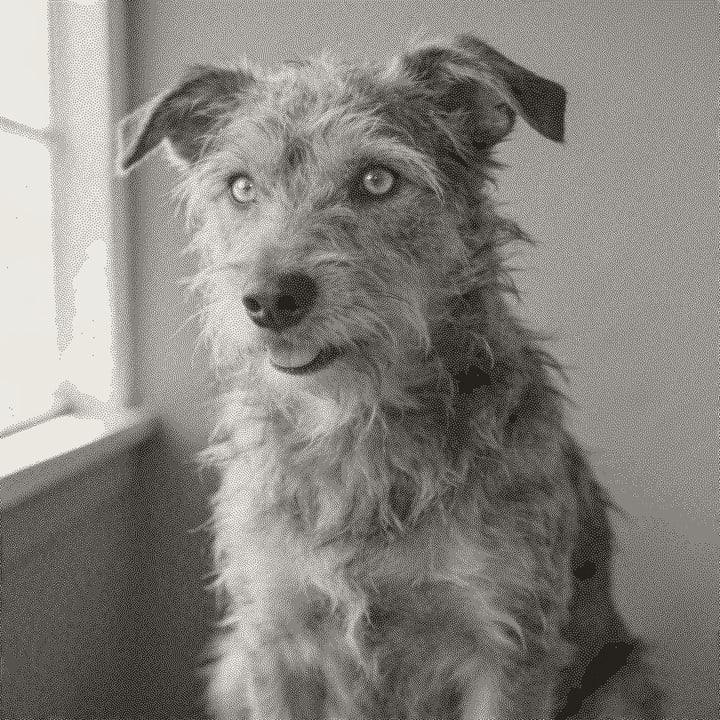
A laser alone does little to white ceramic glaze. The usual method is to coat the tile with a thin layer of laser printer toner or a marking spray, engrave, then wash off what was not fused. Where the laser fired, the coating bonds to the glaze and stays dark.
Because the marks are dark on a white surface, the white tile preset does not invert the file. The result looks like a printed halftone, and white tile gives some of the cleanest contrast of all ten materials. The preset keeps the tones near neutral, with a very light gamma lift (1.02), a small amount of contrast and a light sharpen, then dithers with Ultra.
The glaze is smooth and flat, so the dots stay crisp. The coating is the variable: a thick or uneven layer gives patchy dots, and a coat that is too thin gives a pale, grey image.
Recommended DPI by laser type
| Laser | DPI | Notes |
|---|---|---|
| Diode | 254 | Works with toner or marking spray. Start at 254 DPI. |
| CO₂ | 254 | Works with toner or marking spray. 318 DPI on a smooth glaze for more detail. |
| CO₂ fine | 318 | The flat glaze holds fine lines well. |
| Fiber | 508 | Fiber lasers are made for metal. Results on coated ceramic vary, so test first. |
| Galvo / UV | 423 | For small tiles. Test the coating first. |
Tile is flat and smooth, so your laser's default DPI works well. Use the laser DPI calculator if you know your spot size.
Try it on white tile
Drop a photo, or use a sample. Our real engine makes a 4 in file at 254 DPI for White Tile with the Ultra dither, here in the page. The photo stays on your device.
No photo handy?
Downloading the file needs a free account.
How to prepare a photo for white tile
Drop your photo
It is processed in your browser.
Pick White Tile
The preset keeps the file uninverted and uses the Ultra dither.
Crop to the tile
Square crop for square tiles, or hexagon for hexagon tiles.
Set size and laser
Enter the tile size and pick your laser type.
Preview
The On material tab shows dark dots on white glaze. Use the loupe for faces.
Export
PNG, 1-bit BMP, 24-bit BMP or a .lbrn2 project for LightBurn.
Prep tips
- Clean the tile with alcohol so the coating sticks evenly.
- Apply toner or marking spray in a thin, even layer. Patchy coats give patchy dots.
- Let the coating dry fully before engraving.
- Wash the tile after engraving. Only the fused dots stay.
- Glossy, smooth tiles give crisper dots than textured ones.
- Toner dust is messy. Work with ventilation and a mask when applying it.
- For a set of tiles, save a recipe and use Batch.
Common mistakes
- Engraving bare tile
- Without a coating, the laser leaves little or no mark on white glaze.
- Inverting the file
- The fused coating is dark, so the file should not be inverted. If you paint the tile black instead, use the painted tile preset.
- Uneven coating
- Thick and thin spots in the toner layer show up as blotches in the photo.
- Skipping the test
- The right power depends on your coating. Test a small grid on a spare tile.
Questions
About engraving photos on white tile. More in the guides.
- How do you laser engrave a photo on white tile?
- Coat the tile with toner or marking spray, engrave the file, then wash off the unfused coating. The engraved dots stay dark.
- Do I invert the photo for white tile?
- No. The marks are dark on white glaze, so the preset sends the file as is.
- What is the difference between white tile and painted tile?
- White tile uses a coating that leaves dark marks. Painted tile is painted black first, and the laser removes the paint to show white, so its file is inverted.
- What DPI should I use?
- Your laser's default: 254 for diode and CO2, 318 for a fine CO2 setup.
- Can I try a photo first?
- Yes. Drop a photo into the bench on this page to see the real file on white tile. Download needs a free account.
Keep going
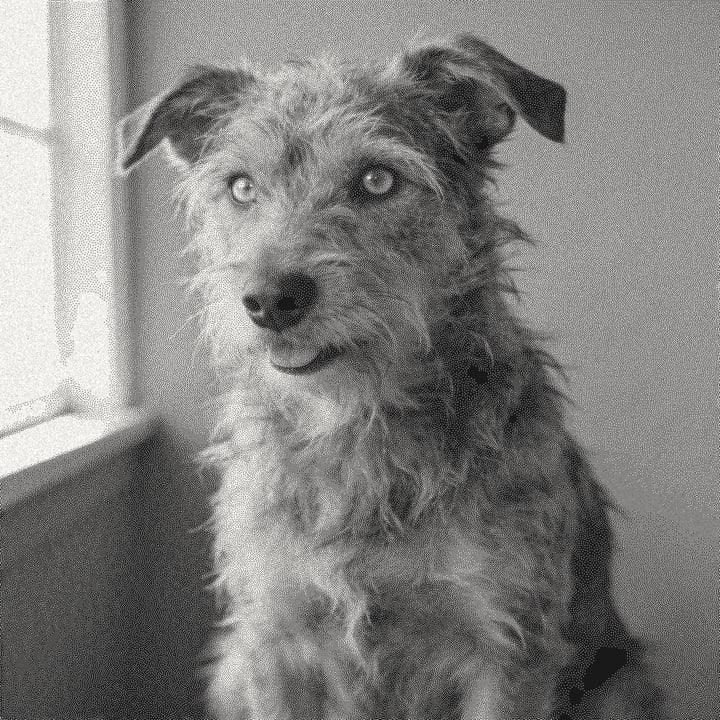

Make your white tile file.
Sign up free to download the file you made here, then use One Click, Easy Mode and Batch in the app.
Free account, email link, no card.