Material guide
Laser engraving photos on stainless steel
On stainless steel the mark is darker than the polished metal, so the file goes as is. Fiber lasers mark it directly; diode and CO2 lasers need a marking spray.
- The laser marks
- Darker than the surface
- The file
- Not inverted
- Default dither
- Ultra
- Mirror
- Off by default
What happens on stainless steel
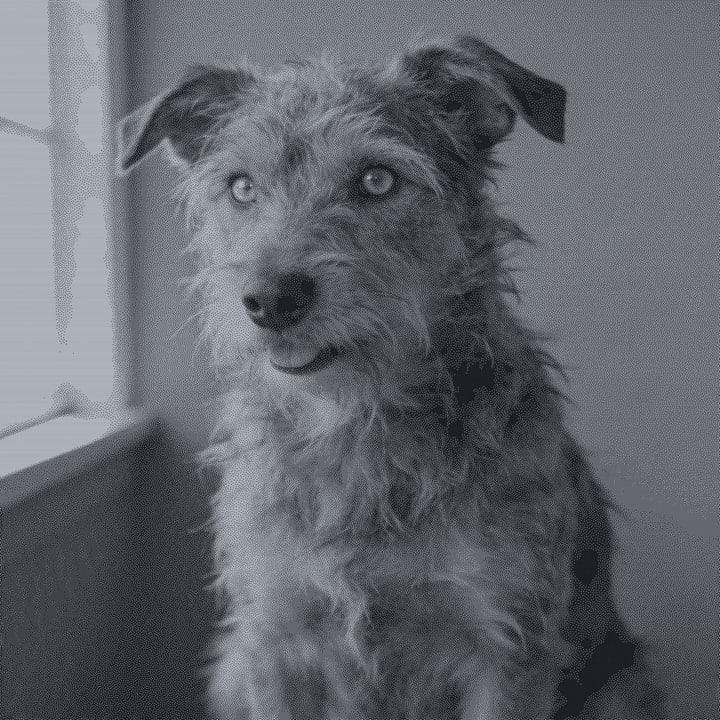
Stainless steel does not burn. A fiber laser heats the surface and forms a dark oxide mark, and diode and CO2 lasers bond a marking spray to the metal. In both cases the dots are darker than the bright steel, so the steel preset does not invert the file.
Polished steel reflects a lot, and at some angles a dark mark can look lighter than the shine around it. Photograph or view the finished piece with a soft, even light. A brushed or matte finish gives a steadier look than a mirror polish.
Steel holds very fine dots, so a fiber laser can run at a high DPI, about 400 to 600. The preset keeps the tones close to the photo with a light touch of contrast and sharpening, and dithers with Ultra.
Recommended DPI by laser type
| Laser | DPI | Notes |
|---|---|---|
| Diode | 254 | Needs a marking spray. A diode alone will not mark stainless steel. |
| CO₂ | 254 | Needs a marking spray. CO2 light reflects off bare steel. |
| CO₂ fine | 318 | With marking spray, a fine lens holds more detail. |
| Fiber | 400 to 600 | Marks steel directly. The default is 508 DPI. Use 400 to 600 depending on your spot size. |
| Galvo / UV | 423 | Galvo fiber or UV machines mark steel with fine detail. |
Fiber lasers have a tiny spot, so they take a higher DPI than any other machine here. Find your exact value with the laser DPI calculator, and remember a higher DPI needs more pixels in the photo.
Try it on stainless steel
Drop a photo, or use a sample. Our real engine makes a 4 in file at 254 DPI for Stainless Steel with the Ultra dither, here in the page. The photo stays on your device.
No photo handy?
Downloading the file needs a free account.
How to prepare a photo for stainless steel
Drop your photo
It is prepared in your browser, not uploaded.
Pick Stainless Steel
The preset sends the file uninverted, because the mark is darker than the steel.
Crop to the piece
Rounded for cards and plates, circle for round tags, or a custom mask.
Set size and laser
Pick Fiber for 508 DPI, or your diode or CO2 if you use marking spray.
Check the dots
Use the loupe (press L). At high DPI, make sure the photo had enough pixels.
Export
PNG with DPI embedded, 1-bit BMP or a .lbrn2 project for LightBurn.
Prep tips
- Degrease the steel before engraving or spraying. Oil stops the mark from forming evenly.
- With a diode or CO2 laser, apply an even coat of marking spray and let it dry fully.
- Wash off leftover spray after engraving. The bonded mark stays.
- Brushed or matte steel shows a photo more evenly than mirror polish.
- For a 508 DPI job, a 2 in photo needs 1016 pixels. Upscale small photos first.
- Run a test grid on scrap of the same steel. Grades and finishes mark differently.
Common mistakes
- No marking spray on a diode or CO2
- Without spray, diode and CO2 lasers do not mark stainless steel. You will only heat the part.
- Inverting the file
- The mark is darker than the steel, so the file should not be inverted.
- Too few pixels for the DPI
- High DPI on a small photo means the photo is stretched and soft. Check the pixel size before you export.
- Judging under harsh light
- Mirror-polished steel can make a good engraving look washed out. View it under soft, even light.
Questions
About engraving photos on stainless steel. More in the guides.
- Can a diode laser engrave stainless steel?
- Not directly. With a marking spray, a diode can bond a dark mark to the steel. A fiber laser marks it directly.
- Do I invert the photo for stainless steel?
- No. The mark is darker than the bright steel, so the preset sends the photo as is.
- What DPI should I use on stainless steel?
- With a fiber laser, 400 to 600 DPI; the app's default is 508. With spray on a diode or CO2, use their default of 254.
- Why does my steel engraving look light?
- Polished steel reflects light, so a dark mark can look pale at some angles. Use a matte or brushed finish and view it under soft light.
- Is anodized aluminum easier?
- Yes. Anodized aluminum marks with diode, CO2 and fiber lasers without spray.
Keep going
Make your stainless steel file.
Sign up free to download the file you made here, then use One Click, Easy Mode and Batch in the app.
Free account, email link, no card.